
Text Editor
Sumi 墨
Sumi means ink.
Write, and Sumi keeps every word.
- Generic name
- Text Editor
- Command
aizome-sumi- App ID
org.aizome.Sumi
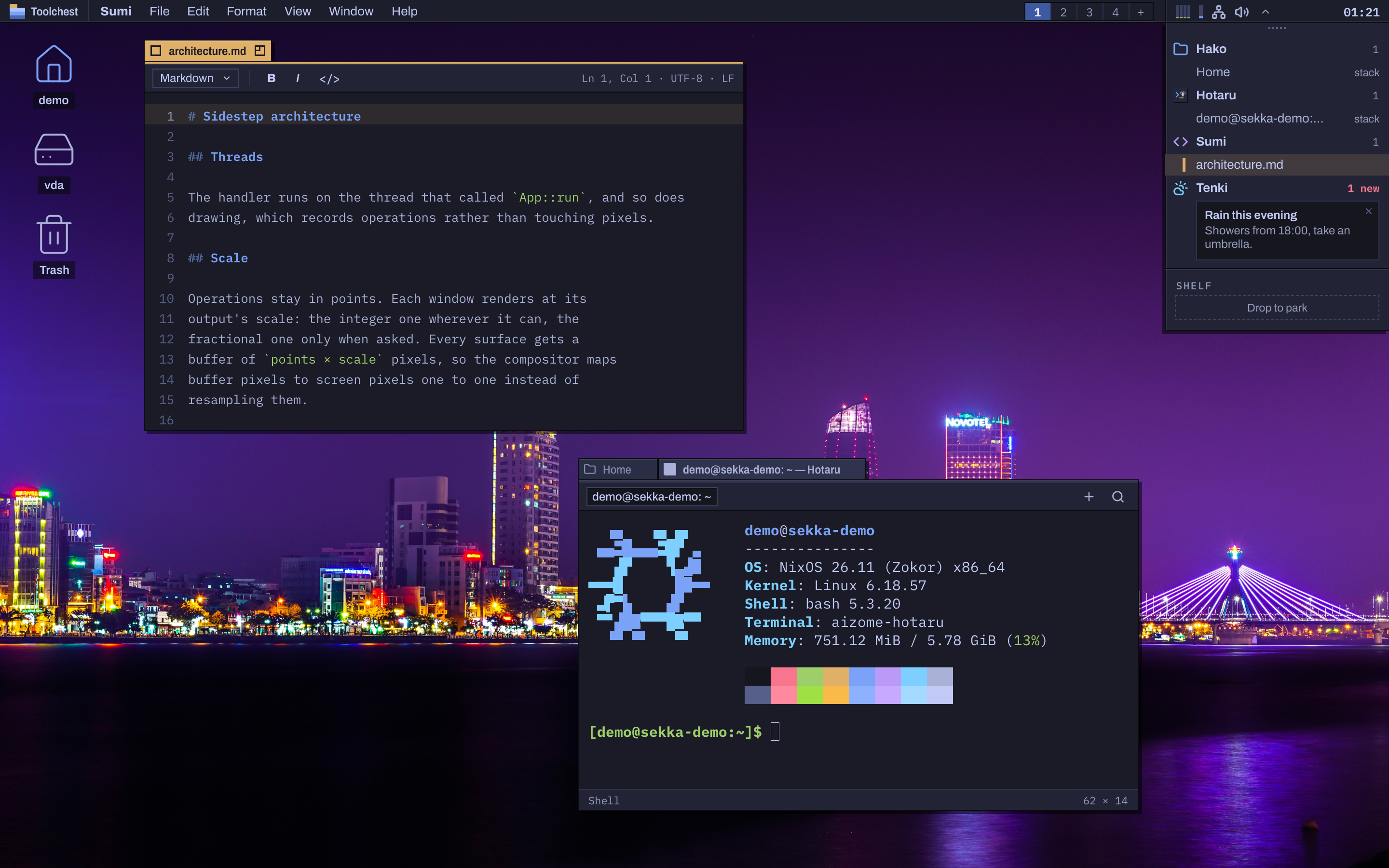
The editor
- A window per document, with a toolbar of the language, bold, italic and code, and “Ln 48, Col 12 · UTF-8 · LF” at its right.
- Line numbers, and the current line on a band of the focus colour.
- Markdown styled as you type: headings, code and emphasis.
- Syntax colouring for Rust, Python, JavaScript and TypeScript, C, Nix, shell, TOML, JSON and YAML.
- The Format menu: Bold SuperB, Italic SuperI, Code SuperE, Link SuperK, headings and quotes, and Copy Style and Paste Style (AltSuperC, AltSuperV).
- Find and Replace with regular expressions (AltSuperF).
Nothing lost
Unsaved text is kept as you type, written 0.8 seconds after the last change. After a crash, a logout, or Quit, which keeps everything rather than asking, your documents come back as they were, Untitled ones included. Closing a window with unsaved changes asks.
Files as they are
Files are read as UTF-8, UTF-16 or Latin-1 and keep their line endings, LF, CRLF or CR, until you switch them in the File menu. Saves are atomic, follow symbolic links and keep the file's permissions. What Sumi opens and saves goes to Open Recent and to the desktop's shared list of recent files.